
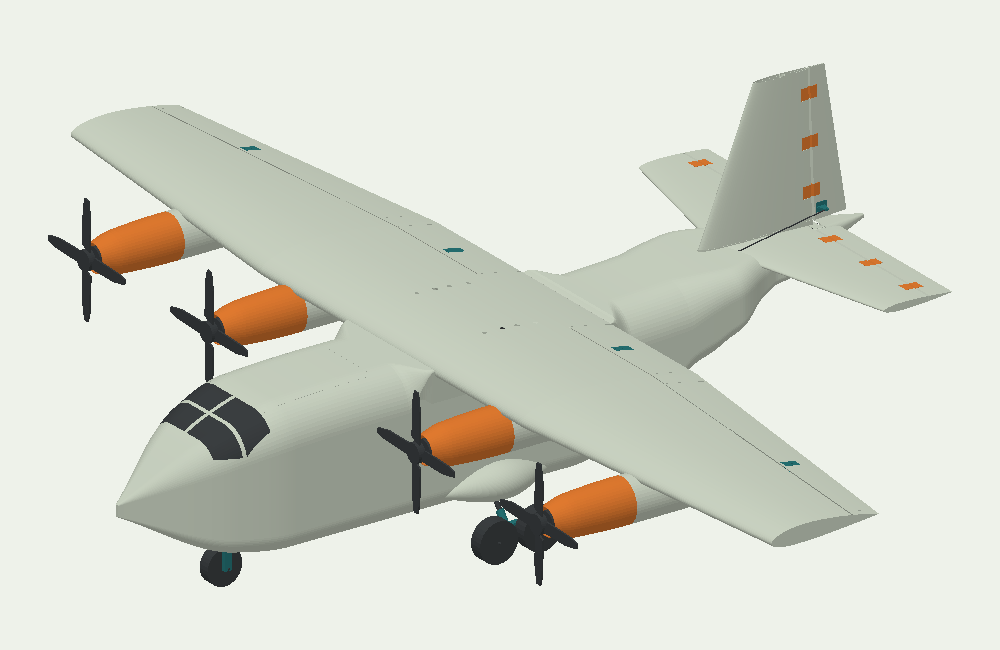
A new project usually starts with a picture. At 3D Hangar, you can look beyond that picture: rotate the model, separate its parts with a slider, and inspect the build before committing your printer and workbench.
Fifteen projects, several ways to build
The collection includes ten airplane projects, a quadcopter frame, a helicopter development project and three model rockets. Some structures use printed parts alone; others combine printed pieces with carbon tubes or plywood. The model page identifies the structure and the equipment it needs.
For a compact project, explore the Breeze 400 biplane glider or Wisp 560 rubber-powered airplane. For RC assembly, compare Bolt PC, Bolt PWC and the four-motor Transport. The rocket collection has two printed-body designs and Roll 530, which uses a paper-towel tube.
See how the pieces relate
Open a model’s interactive viewer and drag to rotate. Move “Separate parts” gradually to reveal joints and internal structure. Return to the assembled position to see how the surfaces meet. The exploded position is a visual reference; the build guide provides the assembly order.
Free files, with a straightforward download
Choose a package and enter your name and email. A download link appears on the page and remains available for 15 minutes. Extract the ZIP before opening its guide and print files. There is no payment and no delivery email to wait for. Providing download details does not sign you up for a marketing mailing list.
Know the current stage
These are prototype projects, with physical testing still needed. Rotor 235 currently offers a measurement package, Drift’s reported glide issue remains unresolved, and the rocket designs are not launch-qualified. A complete set of CAD files is not proof of flight performance. Read the status on the model page before choosing a build.
Start with the project chooser, explore the 3D viewers, and use the current package’s build guide as your workshop reference.